
APP CONCEPT / INTERACTION DESIGN / VISUAL IDENTITY

Habbit Helper
A little less noise.
A little more routine.
A focused habit-tracking concept with a bright personality and a straightforward creation flow.
01 / A PERSONAL STARTING POINT
Tracking a habit shouldn’t become another task.
Complicated menus and constant notifications made habit tools difficult for me to stick with. Habbit Helper began as an exploration of a quieter alternative: create a habit, record it and come back on your own terms.
I kept notifications out of this concept and focused on the creation flow. That choice came from my own experience, not a finding from participant research.
THE DESIGN INTENT
Make the next step clear.
Keep the scope focused.
Give the routine some personality.
02 / STRUCTURING THE EXPERIENCE
Map the route before polishing the screen.
The user-flow diagram connects account access, habit creation and tracking. Making those routes explicit helped me organize the interface around a small set of repeatable actions.
The diagram and exported frames show the intended structure. They do not, on their own, demonstrate that someone can complete it without assistance.
03 / ONE DECISION AT A TIME
From a new habit to a clear finish.
The preserved Figma frames break creation into visible decisions: choose the habit type, give it a name, pick a symbol and reach a confirmation moment.
Watch the app walkthrough
The original presentation follows login, tracking and creating a habit, including naming it and choosing a symbol.
Original coursework walkthrough, presented silently. Use the player controls to pause or scrub through the flow.
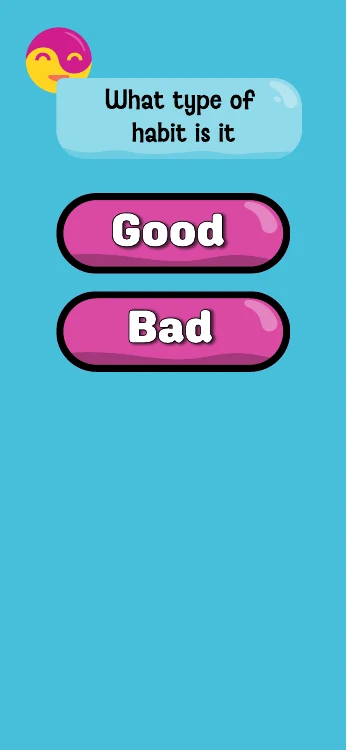
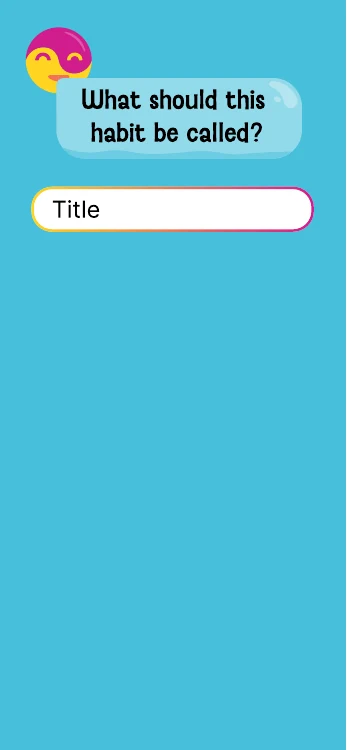
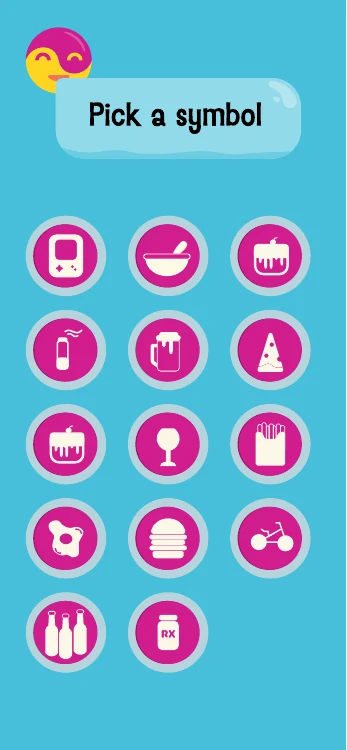
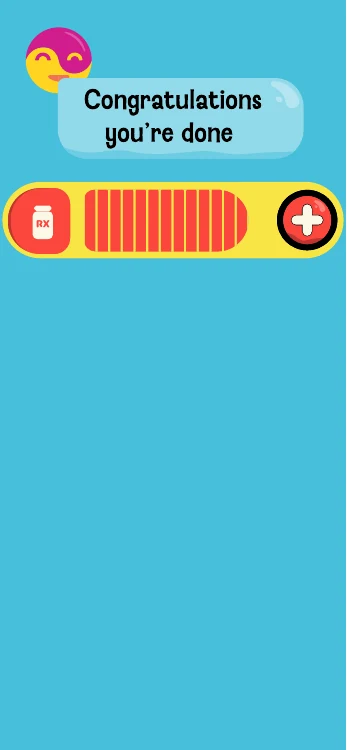
Original interface exports, shown as designed. This sequence illustrates the intended flow; it is not a newly implemented app.
04 / AN APPROACHABLE VISUAL SYSTEM
Bright, simple, recognizably Habbit.
Cyan grounds the interface. Magenta and yellow give the face mark and controls their energy, while repeated button shapes and prompts connect the screens.
I extended that language into a branded motion presentation. It shows how the app identity can hold together beyond an individual interface frame.
Original branded phone animation. Interface and presentation work; no claim of original phone-hardware modeling.
WHAT I WOULD INVESTIGATE NEXT
Test the simplicity, not just the screens.
This project gave me a focused interaction problem to work through. The next useful step is to test the assumptions behind the flow with people using it in context.
Can someone create a first habit?
Observe where the setup sequence needs explanation or causes hesitation.
Do the labels and symbols make sense?
Check the “Good / Bad” framing and whether people can choose a meaningful symbol.
When would a reminder help?
Explore different preferences rather than treating my no-notifications choice as universal.
Academic concept with preserved flow, interface and motion artifacts. These are proposed research questions, not completed study findings.